Build your own AI second brain — and why you shouldn't buy one
The lethal trifecta, the memory layer that makes skills feel specific, and the phased sequence for shipping a second brain you actually trust.
The most common mistake people make when building an AI second brain is reaching for an off-the-shelf solution. It feels like the smart move — why build something yourself when smart engineers have already done the work? But convenience comes with trade-offs you don't see on day one.
This is a cluster post sitting under Claude Code + Obsidian Is My Unfair Advantage — the full architecture for why a vault-backed AI operating system beats anything pre-built. Here I want to focus on one thing: why you should build it yourself, and where to start.
The Lethal Trifecta
Any genuinely useful AI second brain will always face three conditions simultaneously:
- Private data access — it reads your emails, calendar, messages, notes.
- Untrusted content — external inputs like incoming emails or scraped pages can carry prompt-injection attacks.
- Exfiltration vector — it can send data outward: post to an API, write a file, send a message.
These aren't edge cases. They're the whole point. A second brain that can't touch your private data is useless. One that can't read external content can't help you. One that can't act on your behalf is just a reader.
The question isn't whether to accept the trifecta. It's how tightly you control each pillar. Off-the-shelf solutions grant permissions broadly. When you build your own, you define exactly what the agent can and can't do, and you add capabilities one at a time.
The Memory Layer Is the Whole Game
The first thing to build isn't skills. It isn't integrations. It's memory.
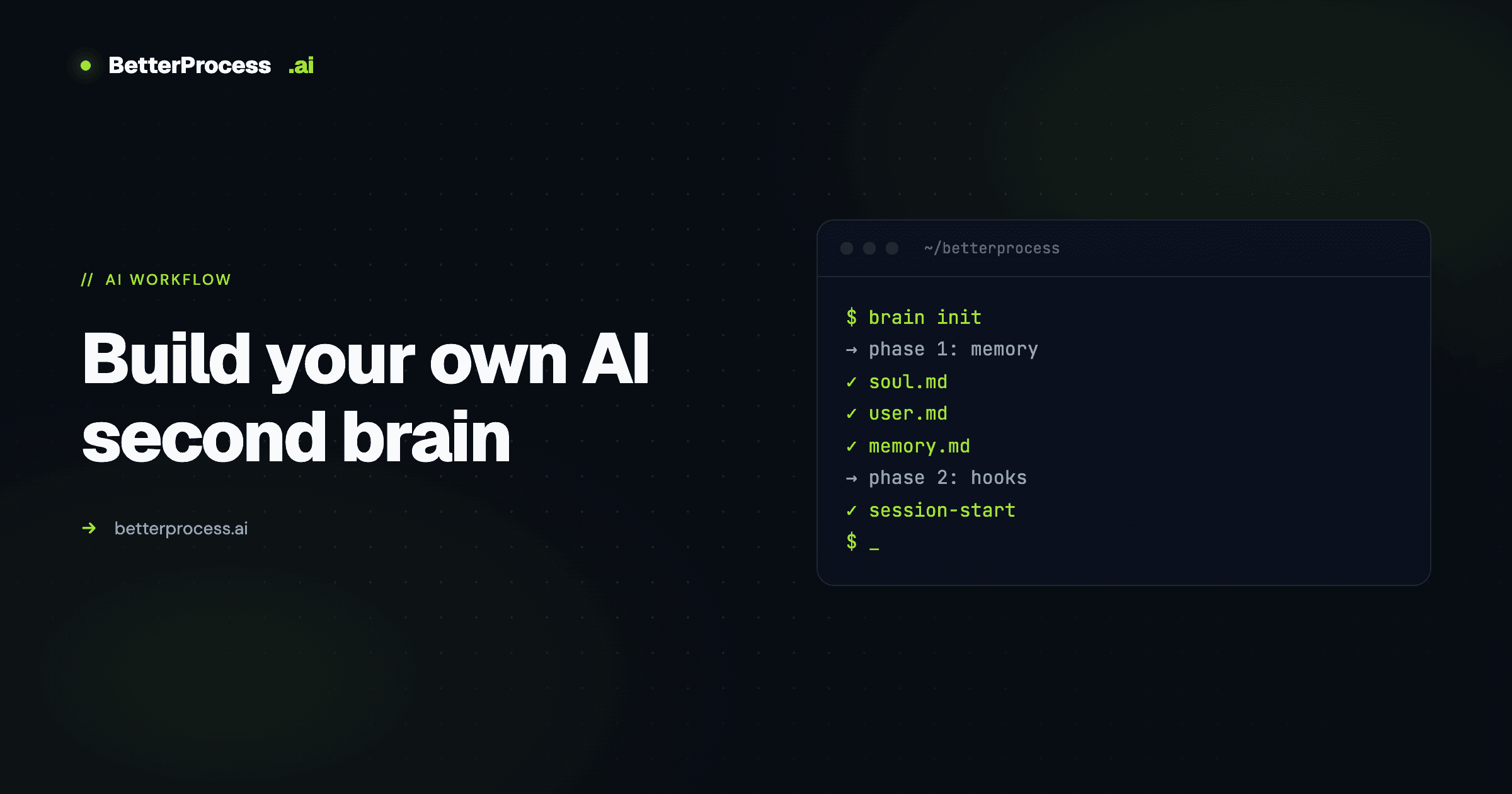
Three files anchor everything:
soul.md— the agent's personality. How it speaks to you, what tone it uses, what kind of assistant you want it to be.user.md— everything it knows about you. Role, goals, context, ongoing projects, people in your life.memory.md— a curated record of key decisions, lessons, and facts that should persist across sessions.
These load automatically into context at the start of every Claude Code session via a hook. Which means the agent always knows who it's talking to and what matters — without re-briefing.
Memory isn't just what's pre-loaded. The system also captures what happens during each session. A pre-compact hook dumps the exchange into a daily log before context gets compressed. Another hook runs when a session ends. The result is a growing daily log for every day you've used the brain.
Once per day, a cron job runs a daily reflection: it reads the raw daily log, promotes what's worth keeping into memory.md, and writes the rest to a searchable archive. What rises to permanent memory is what made the cut. What didn't is still there, indexed into SQLite so the agent can RAG-search for it when needed.
This compounding memory is what makes everything else useful. A generic "write a YouTube script" skill is only as good as its instructions — but when it has access to memory.md and user.md, it knows your tone, your past scripts, and your preferences. The memory layer is what makes skills specific rather than generic.
Skills Are All You Need
Beyond memory, the only other thing you need is skills.
Claude Code's skills system (folders in .claude/skills/ with a skill.md) lets you encode workflows as slash commands. No MCP servers. No middleware. No LangChain abstractions. Just Claude Code plus a well-designed skill library.
Direct integrations with external services — Gmail, calendar, Slack — are handled through a small Python or Node API layer, with a single skill that documents what each integration can do. The permissions model is conservative by default: read access everywhere, write access only where justified. The agent can draft Gmail messages but can't send them. It can update tasks but only in specific projects.
Because every integration follows the same pattern, the brain can spin up new integrations itself — referencing existing ones as examples and one-shotting new connectors inside Claude Code.
The Heartbeat
The heartbeat is what takes the system from reactive to proactive.
A cron job runs on a schedule. First, it gathers context deterministically — pulling unread emails, upcoming calendar events, open tasks, Slack updates. This happens before any AI is involved, which keeps it fast and reliable. Then the gathered context is sent into Claude Code via the Agent SDK alongside a pre-configured prompt telling the agent what to do with it.
The agent reasons over everything — what needs a draft reply, what tasks are due, what's slipping — and takes action within its permissions. When it's done, it posts a summary to Slack so the human stays in the loop without having to check.
The inbox gets managed. Drafts get written. Pull requests get triaged. Your attention is reserved for the work that actually needs it.
How to Start
Don't build the whole system in week one. The phased approach:
- Memory foundation — the three files, the session-start hook, and a minimal
claude.mdthat orients the agent to your vault structure. - Hooks for capture — a pre-compact and end-of-session hook that writes daily logs automatically.
- Daily reflection — a cron that runs once a day, reads the log, and promotes things worth keeping.
- First three skills — start with
/today,/new, and/end-of-day. Ship them. Use them for a week. - Integrations, one at a time — Gmail drafts first, then calendar read, then Slack. Expand write access only when you've lived with read access long enough to trust the behavior.
Each phase produces something usable. You stay in control of exactly what's being built. And you end up with a system you understand end-to-end — because you built it.
The Real Argument
The pre-built solution works on day one. It requires no setup. It handles a lot out of the box. That's the pitch, and it's honest.
But the trade is real: opaque permissions, a codebase you can't audit, a system that doesn't actually learn you. Six months in, it's a tool you use. Six months into a custom build, it's the operating system your life runs on.
For the full architecture and daily command patterns, read the pillar post on the Claude Code + Obsidian setup. If you want the cluster-level details on the command surface, see 27 Commands: The AI Life OS.
Want to talk through something you’re working on?
I take on a small number of consulting and build engagements each quarter. If something in this piece maps to a problem you’re trying to solve, reach out.