27 commands: the AI life OS built in Claude Code and Obsidian
Three commands run most of the day. The rest run the machine side. Here's how a vault-backed command surface collapses the gap between a thought and the right action.
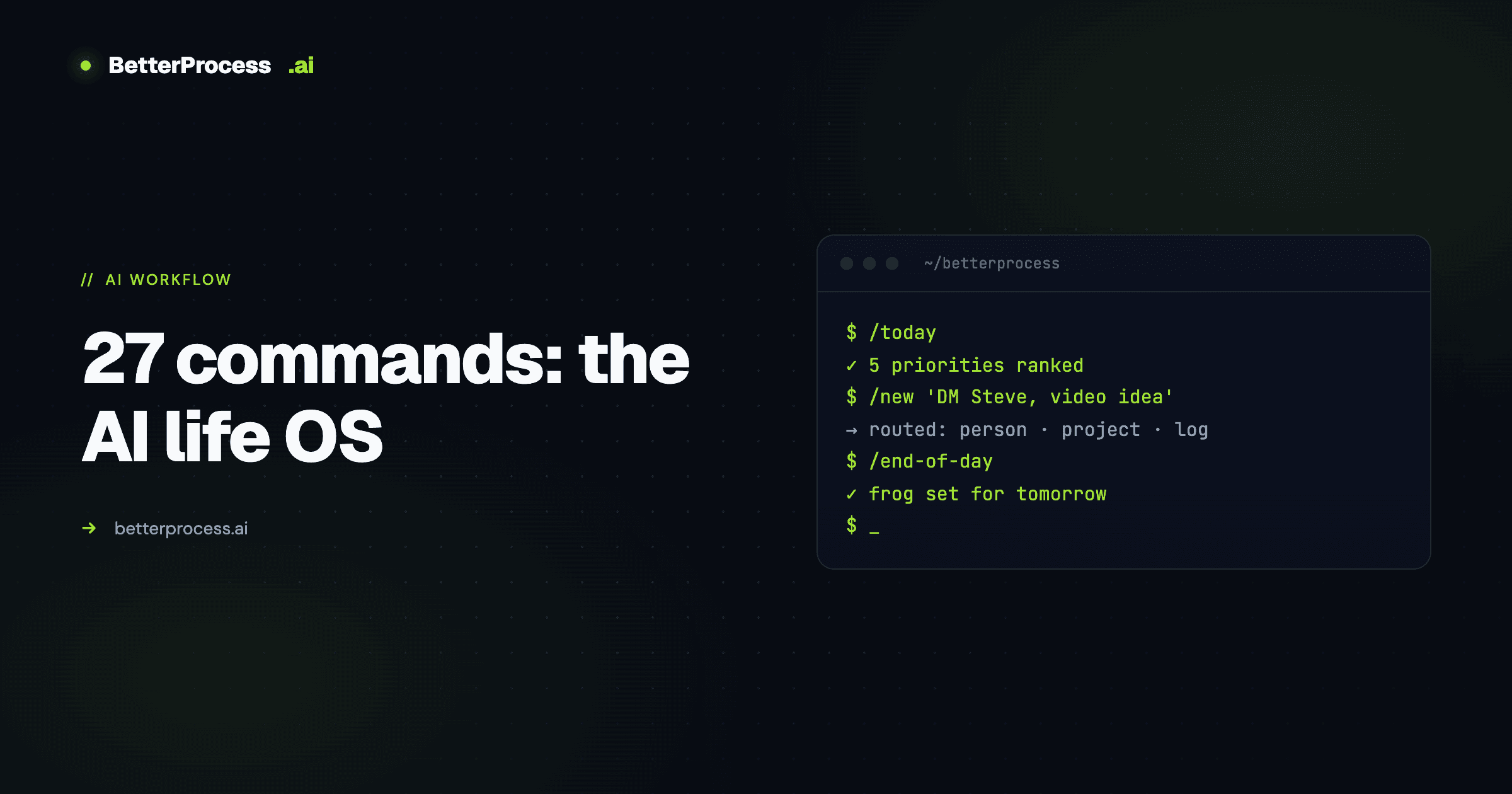
Most AI second brain setups store things. This one does things.
The distinction matters more than it sounds. Note-taking tools and knowledge bases are where thoughts go to become organized — and then sit there. A 27-command operating system wired directly into Obsidian via Claude Code is something different. It manages not just the business — leads, cold email, content, follow-ups — but the personal side too: workouts, macros, journaling, accountability.
This is a cluster post under the pillar on Claude Code + Obsidian as an unfair advantage. Here I want to go deep on the command surface itself — the three commands that run the day, the machine-side skills that act like employees, and the architectural rule that keeps the system honest.
Church and State
The vault is built on one core principle: human content and machine content never mix unless explicitly permitted.
The left hemisphere — the human brain — holds everything that belongs to me. Relationships, voice, journal entries, quotes, videos, actions. Claude can read all of this. It cannot write to any of it unless I've given specific permission for a specific task. The reason isn't philosophical. If the agent is allowed to write into your personal notes freely, you stop being able to tell what's yours. Your voice gets diluted. The journaling stops feeling like journaling.
The right hemisphere — the machine brain — is everything else. AI-generated workflows, system files, imported chat histories, research results, campaign outputs. This is where agents write freely.
At the root of the vault, system files like claude.md and gemini.md serve as a shared meeting point. Multiple agents — Claude, Gemini, Codex — all reference the same folder as their source of truth. Each can see what the others are doing. It's less like separate AI tools and more like a team that reads the same briefing document.
The Three Commands That Run the Day
/today — the morning briefing
Every morning, one command reads through daily notes, tasks, projects, video history, last journal entries, and business goals. It doesn't just list what's due — it prioritizes by impact and flags what's been slipping.
An example output: "Film video has carried over since March 7th. This is a must do for today. Filming window is when your family wakes up. If this doesn't happen today, something structural needs to change."
That specificity is what makes this different from a calendar alert. The system knows the filming window because it's in the personal context files. It knows the video has been carrying over for weeks because it's been tracking the daily logs. It knows what "structural change" means because it has read my priorities and history. The morning briefing takes no manual input — it runs, reads everything, and delivers a prioritized picture of the day.
/new — the universal intake
This is the command that solved the maintenance problem. Instead of navigating to the right folder, creating a new note, and tagging it correctly, I type one command followed by whatever is on my mind — all of it at once.
A real use: "Sent 20 DMs today. Still need to follow up with Steve. I want to make an AI lead magnet calculator and I think my next video should be based on the next highest performer."
Claude reads that, cross-references the people folder, project files, daily notes, and content calendar, then routes everything automatically. Steve's profile gets updated. A task for the lead magnet calculator project gets created. The video idea gets flagged into the content intelligence folder. Everything gets logged to the daily note. Done, without opening a single sub-folder.
More useful still: the system watches for patterns. If someone's name has appeared in capture notes three days in a row without a message being sent, it escalates: "Messaging this person has been mentioned three days in a row and still hasn't gone out. It needs to be sent today or tomorrow." The item gets promoted to a frog — the biggest task that gets done first tomorrow morning, before anything else.
/end-of-day — the accountability close
A prompted workflow that walks through what worked, what didn't, and what carries over. Structured enough to produce a real review rather than a vague journal entry. The output updates claude.md, logs the day's activity, and prepares tomorrow's frog list.
The daily note accumulates a complete record: workouts, macros, exercise duration, outreach activity, content produced, meetings taken. Not just professional tasks — everything. That completeness is intentional. Having the full picture is what lets the morning briefing surface what matters. The system can see that business activity spiked the week following consistent workouts, or that follow-up volume drops when filming falls behind. Those patterns become visible because everything is in the same vault.
Skills That Act Like Employees
Beyond the three daily commands, the vault runs a library of specialized workflows on demand.
Lead scraping and cold email. /lead-scraper pulls leads from Amplify, LinkedIn, and Apollo, validates them through TrueList, then prompts whether to run /cold-email. That skill reads the lead research, loads a voice profile to understand how the emails should sound, personalizes an icebreaker for each contact, drafts the full campaign, and uploads it to Instantly. The entire outbound pipeline runs from inside Obsidian.
Content intelligence. /youtube deep-researches a topic by finding five to eight videos with the best engagement, analyzing trends and gaps, and generating video ideas tailored to the channel's positioning. Results save to a content intelligence folder. A separate /content-review skill reviews the last ten videos and identifies statistical outliers — videos that overperformed — so the hook style and topic can be replicated.
Research, spec, ship. /prd writes a product requirements doc from a rough idea. /research <topic> runs a structured market scan. /spec-out <feature> turns a requirement into a technical spec. The outputs are never final, but they collapse the time between idea and first-draft artifact to minutes.
Everything produced by these workflows logs back to the daily notes. Every action, every output, every hour — tracked, accumulated, queryable.
The ADHD-Honest Design
Most second-brain frameworks assume the user will maintain them — will file things correctly, will update the CRM, will remember to tag the project note. This one assumes they won't.
/new exists specifically because every extra step between a thought and its correct location is a step where interest evaporates and the system decays. Building a workflow that accepts the chaos and routes it correctly is a different design philosophy than building one that requires discipline.
It's also a better one. The system that gets used is worth infinitely more than the system that's perfectly designed but abandoned.
For the full architecture and why this works, read the pillar on the Claude Code + Obsidian setup. For the security-first case, see Build Your Own AI Second Brain.
Want to talk through something you’re working on?
I take on a small number of consulting and build engagements each quarter. If something in this piece maps to a problem you’re trying to solve, reach out.